
Downloader by AFTVnews
AFTVnews.comTools
4.3520.00 Reviews
- Version
- 2.0.4-ForGoogleAndroidDevices
- Installs
- 50.00M
- Age Rating
- Everyone
Screenshots
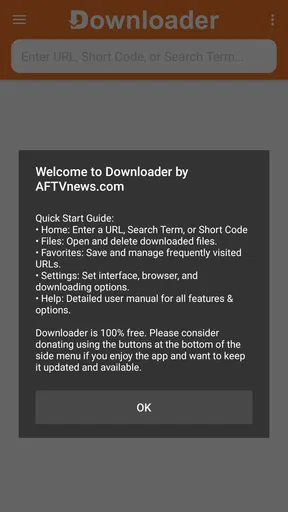

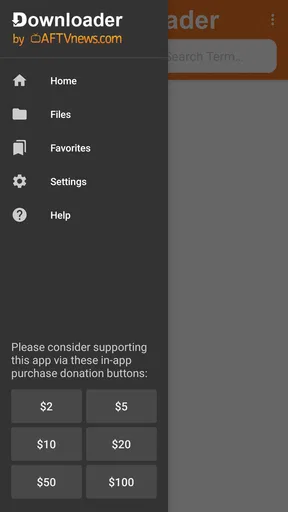
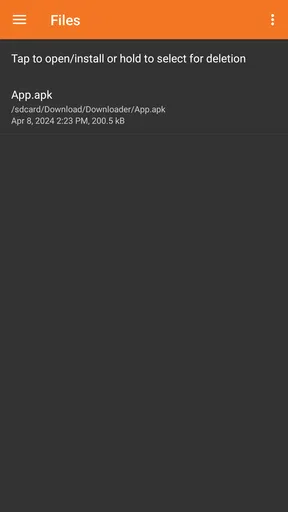
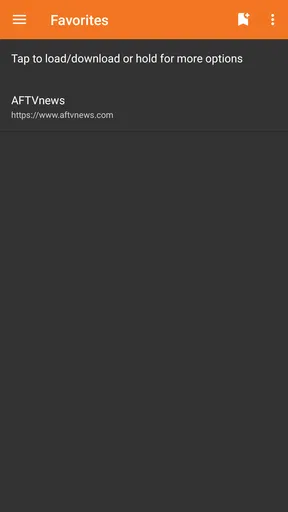
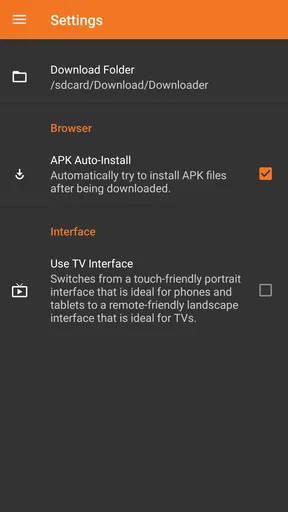
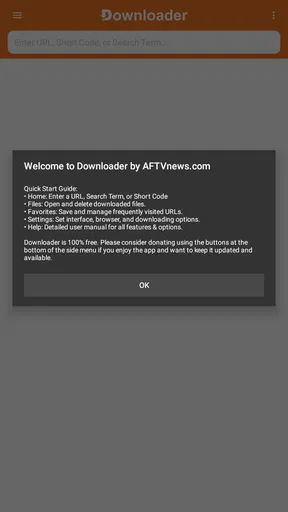
Our Review of Downloader by AFTVnews
 Analysis by Appyee
I started using Downloader because I wanted a simple way to move a file onto an Android device without opening a full browser, searching through several pages, or typing a long address with a remote control. That narrow purpose is exactly where this free Tools app makes sense. It lets me enter a URL or a Short Code and begin a download, including app APK files, from a television, phone, or another compatible Android device.
My overall impression is practical rather than exciting: this is a focused utility that removes friction from a task Android’s normal interface does not always handle comfortably. It is developed by AFTVnews.com, has reached more than fifty million installs, and holds a 4.1 average from roughly fifty-nine thousand ratings. Those figures suggest that the app has become familiar to a large number of Android users, especially people working with TV-focused devices and remote controls.
It is important to approach it as a downloader, not as an app store, file manager, security scanner, or household management tool. It does not replace the Play Store for ordinary installations, and it does not make every downloaded file trustworthy. Its value comes from making a direct transfer easier. If that is the problem you are trying to solve, I find it useful. If you want discovery, automatic updates, or strong protection against questionable downloads, another option is a better fit.
How it works on a shared household device
When I use a shared Android device, I treat the download destination as a household decision rather than just a remote-control task. I find it helps to agree on who checks the source and who approves installation before entering a URL or Short Code, especially when the file could affect everyone who uses the screen. That simple division keeps convenience from turning into guesswork.
A useful shortcut for the living room
The clearest everyday scenario is a shared television. Imagine that one person in the home has found an Android TV utility or an APK from a developer’s website, while the television is controlled with a remote. Entering a long web address character by character is slow and error-prone. With Downloader, I can use a shorter destination or a Short Code instead of wrestling with the television’s on-screen keyboard for several minutes.
That changes the app from a general-purpose browser into a handoff tool. Someone can prepare the destination on a phone or computer, then give the person at the television the short information needed to start the transfer. This is especially convenient when the device is in a shared room and nobody wants to connect a keyboard just to retrieve one file.
The same workflow can help with a spare Android box, a test handset, or a device that is being prepared for another member of the household. I would still keep the process deliberate: identify the file first, verify where it came from, and only then enter the destination. The convenience of a short entry should not encourage casual downloading from unknown sources.
Where the shared-device benefit stops
Downloader does not turn a shared television into a multi-user system. It is not a family dashboard, and I would not treat it as a way to separate household accounts or keep one person’s downloads private from another. The app helps start transfers; it does not create a boundary between the people using the device.
That distinction matters in a home where several people use the same screen. If a parent, guest, or roommate enters a destination, the responsibility for the file still belongs to the person operating the device. I would avoid leaving a partially completed download for someone else to interpret, particularly when the file is an APK rather than a normal document.
For shared use, my preferred routine is simple. One person chooses the source, another can operate the remote if needed, and everyone knows what is being installed before the process begins. Downloader supports that coordination because the entry step is straightforward, but the household still needs its own agreement about which sources are acceptable.
Short Codes are convenient, but they change the checking habit
The Short Code approach is one of the app’s most useful ideas for remote-controlled devices. It reduces typing and makes it easier to pass a destination from one person to another. The trade-off is that a short code hides the full address during the moment when it is entered. I therefore prefer to confirm the source separately instead of assuming that a familiar-looking code guarantees a safe file.
This is a subtle but important difference from downloading through a normal browser. A browser exposes more of the web page and its surrounding context, while a short entry can take me directly to the transfer step. That is faster, but it gives me fewer visual cues. For a household workflow, I would keep a note of who supplied the code and what file it is expected to retrieve.
What the first setup feels like
My first setup was uncomplicated because the app’s purpose is immediately clear. I did not need to learn a complicated catalog or configure a large number of preferences before trying a download. The main task is entering the destination in the format the app expects and then following the device’s normal download and installation flow.
That simplicity is a strength on a television, where every extra screen can feel more difficult than it would on a phone. It also means that the app does not provide much hand-holding for people who have never dealt with downloaded files or APK installation. A first-time user may understand how to enter a destination but still be unsure what to do with the resulting file.
For that reason, I would set it up with the actual device owner present. This avoids a common household problem: one person starts a download, another sees a prompt later, and nobody is certain whether it is safe to continue. Downloader makes the transfer accessible; it does not remove the need for a responsible person to finish the installation.
Android compatibility and practical limits
The app requires Android 6.0 or later, so it is aimed at reasonably modern Android hardware rather than very old devices. Its current version is 2.0.4-ForGoogleAndroidDevices. On a compatible device, the experience is best when the system itself is responsive and the remote has a usable text-entry method.
That last point is easy to overlook. Downloader can simplify the destination, but it cannot make a slow remote pleasant or fix an awkward on-screen keyboard. On a phone, copying and pasting a URL may already be easier in a browser. On a television, the advantage is much more noticeable because remote input is usually the real obstacle.
I also would not choose it as my main file-management solution. Once a file is downloaded, I may still need the device’s existing file tools or installation screens to locate, open, and manage it. The app is strongest at getting the file onto the device, not at organizing a growing personal archive.
Coordinating downloads without confusion
In a shared home, the most useful improvement is to coordinate before anyone touches the television. I recommend agreeing on the exact app or file, the source, and the person responsible for confirming the installation. This takes less time than troubleshooting an unexpected download later.
A practical division of roles is to have one person check the source on a phone or computer and another enter the destination on the Android device. That arrangement uses Downloader for what it does best while keeping source evaluation away from the television’s limited interface. It also helps when a child or less technical relative wants to use the device but should not be left to judge an unfamiliar APK alone.
For repeated household tasks, I would keep a small written record of the purpose of each Short Code or destination before using it. This is not a feature of the app; it is a sensible habit around it. Short entries are easy to mistype or misremember, and a note gives everyone a shared reference when several downloads happen over time.
Another useful trade-off is speed versus visibility. Entering a Short Code is faster than typing a long URL, but opening the source in a normal browser first provides more context. When the file affects the whole household device, I favor the slower verification step. When I already know and trust the source, the shorter workflow is much more convenient.
APK downloads require more judgment than ordinary files
The ability to download app APKs is the feature that makes Downloader especially useful, but it is also where I apply the most caution. An APK is an installable Android package, so downloading one is not the same as saving a photo or a document. The source, intended app, and device compatibility all matter.
I would never treat the app’s ability to fetch a file as proof that the file is safe. Downloader is a delivery mechanism, not an endorsement of every destination. Before installing, I check that the file comes from the developer or another source I have a clear reason to trust, and I avoid destinations passed around without context.
This is particularly important on a shared television. A questionable installation can affect everyone who uses that device, not just the person who entered the code. The convenience of remote-friendly downloading is valuable, but the household should keep the same standard it would use when installing software on a personal phone.
Age context and trust in the home
The app is rated Everyone, which makes its basic presentation approachable for a broad audience. That age context should not be confused with automatic approval of every downloaded file. The app may be suitable for general use, while a particular destination can still lead to software that a parent or device owner would not want installed.
For families, I would let younger users participate in the mechanical part only when an adult has already selected and checked the source. Downloader can make the process easy enough for a child to follow, but ease of use is not the same as permission to choose arbitrary downloads. The important boundary is between operating the tool and deciding what enters the device.
This also applies to guests. If friends or relatives use a shared Android TV, I would avoid handing over an unrestricted download task without explaining what the destination is for. The app does not provide a special guest mode or a separate approval layer that I can rely on, so household trust still has to come from the people using the device.
Free access and the purchase question
Downloader is free to install and use, which is a good match for an occasional utility. The listing also includes in-app purchase items ranging from two dollars to one hundred dollars per item. I would not choose the app expecting that every part of the experience is necessarily outside a purchase model, so I would review any payment prompt carefully instead of assuming it is required for a basic download.
For my own use, the free entry point is the main reason it is easy to recommend for a specific task. I would be more cautious about introducing it as a routine household tool if the people using the device are likely to tap prompts without understanding them. A shared screen benefits from clear supervision whenever a download or payment-related message appears.
How it compares with the usual alternatives
The Play Store remains the better choice for normal app installation. It offers a familiar catalog and a more conventional update path, while Downloader is useful when the app or file is not being obtained through that standard route. I see them as complementary rather than competing tools.
A regular browser is preferable when I need to read a page, compare sources, inspect documentation, or understand what I am downloading before starting. Downloader wins when the destination is already known and typing it with a remote is the main problem. On a phone, the browser may be more flexible; on a television, the focused interface can save real effort.
Dedicated file-transfer tools can be better when the file already exists on another device in the same home. They may avoid downloading from the internet altogether, depending on the workflow. Downloader is more direct when the source is represented by a URL or Short Code, but it is not a universal answer for moving personal videos, photos, or documents between household devices.
That comparison helped me place the app correctly. It is not the most complete option in any broad category, but it is unusually convenient for one awkward moment: retrieving a known file on Android when normal web navigation or remote typing gets in the way.
Who should use it, and who should skip it
I would recommend Downloader to Android TV owners, people preparing Android devices, and anyone who regularly needs to retrieve a known APK or other file through a short entry. It is also a sensible helper when one person verifies a source and another operates a shared screen.
I would skip it if my only goal were installing mainstream apps from the Play Store, browsing the web, or managing a large personal collection of files. In those situations, the normal store, browser, or file manager is likely to be clearer and more complete.
I would also skip it as a substitute for security judgment. If I am not comfortable evaluating a source, Downloader does not solve that problem. It makes access easier, and easier access can be a disadvantage when the destination is uncertain.
My household verdict
After using it, I see Downloader as a small but effective household utility. Its strongest quality is not the act of downloading itself; it is the way it reduces the annoyance of entering a known destination on an Android device controlled from a distance. Short Codes make that handoff especially practical, while direct URL entry keeps the workflow flexible.
The app is free, available for Everyone, and supported on Android 6.0 and later. Its broad adoption and 4.1 average make it easy to understand why it remains familiar, but I would still judge it by the task rather than by popularity. It succeeds when I need a quick bridge from a trusted source to a specific device.
My recommendation is therefore conditional but positive: use Downloader when convenience solves a real remote-input problem, and keep source checking in human hands. In a shared home, decide who can choose files, who can operate the device, and who approves installation. With those boundaries, it is a dependable shortcut. Without them, its simplicity can make an unnecessary or questionable download too easy.
For my own household, I would keep it available on a compatible Android TV or spare device, but I would not present it as an all-purpose app marketplace. Used deliberately, Downloader does one job well enough to earn a place in the toolkit: it turns a frustrating destination-entry task into a short, manageable step while leaving the important decisions with the people responsible for the device.
Privacy and Permissions
See what permissions an app requests and how it handles your data.
- Photos/Media/Files
- read the contents of your USB storage, modify or delete the contents of your USB storage
- Storage
- read the contents of your USB storage, modify or delete the contents of your USB storage
- Wi-Fi connection information
- view Wi-Fi connections
- Other
- view network connections, full network access, prevent device from sleeping
Verdict
Strengths of Downloader by AFTVnews
- Downloads APK files directly to Android TV and Fire TV devices.
- Simple interface designed for remote-control navigation.
- Built-in browser helps access APK download pages without another device.
- Supports sideloading apps unavailable through official TV app stores.
- Lightweight app with minimal storage and system requirements.
Limitations of Downloader by AFTVnews
- Requires caution when downloading APKs from unknown or untrusted websites.
- Some websites are difficult to navigate with a TV remote.
- Downloaded apps may need manual updates and reinstallation.
- Compatibility can vary between Android TV, Google TV, and Fire TV models.
- It does not verify every APK for malware before installation.
Similar Picks in This Category
View All
Google LLC4.0

Gboard - the Google Keyboard
Google LLC4.5

Google Play services
Google LLC4.3

Google Play Store
Google LLC4.9

Files by Google
Google LLC4.5

SHAREit: Transfer, Share Files
Smart Media4U Technology Pte.Ltd.4.3
Frequently Asked Questions
What is Downloader by AFTVnews used for?
Downloader by AFTVnews is a utility app designed primarily for Android TV, Fire TV, and other compatible Android-based streaming devices. It lets you enter a web address, download files such as APK packages, and open web pages through its built-in browser. During testing, its main advantage was convenience: it avoids typing long URLs into a television browser and provides a straightforward way to install apps that are not always available through the official app store.
Is Downloader by AFTVnews safe to use?
The Downloader app itself is widely used and is generally considered safe when obtained from an official or trusted source. However, the application can access websites and download files from almost anywhere, so safety depends heavily on what you choose to download. APK files from unknown websites may contain malware, intrusive advertising, or modified software. Always verify the source, avoid suspicious links, and keep your device’s security settings enabled.
Can Downloader install apps that are not available in the official store?
Yes, one of Downloader’s most popular functions is sideloading APK files that are not listed in the official app store. After entering a direct download link or visiting a website, you can download a compatible APK and begin the installation process. You may need to allow installation from unknown sources in your device settings. Only install applications that are compatible with your device and come from developers or websites you trust.
Is Downloader by AFTVnews free, and does it contain advertisements?
Downloader by AFTVnews is generally available as a free download, making it accessible to users who need a simple browser and file-downloading tool for their streaming device. Depending on the platform and current version, the app may display advertising or promotional content. The basic downloading features do not normally require a paid subscription, but users should review the store listing and permissions because availability and monetization details can change over time.
Which devices and platforms are compatible with Downloader?
Downloader is best known for its compatibility with Amazon Fire TV devices and Android TV products, including many smart televisions and streaming boxes. Its exact availability can vary by device, operating system version, region, and app-store policies. It is not intended to function like a standard desktop download manager, and the experience on phones or tablets may differ. Before downloading, check whether the official store lists your specific device as supported.
